THE CONNECTED CARE PLATFORM

Manage member care.
Track goals and progress.

Bring your members, their daily health records and your staff into one branded experience. Set direction, see progress and keep the conversation going.

Explore the workflow
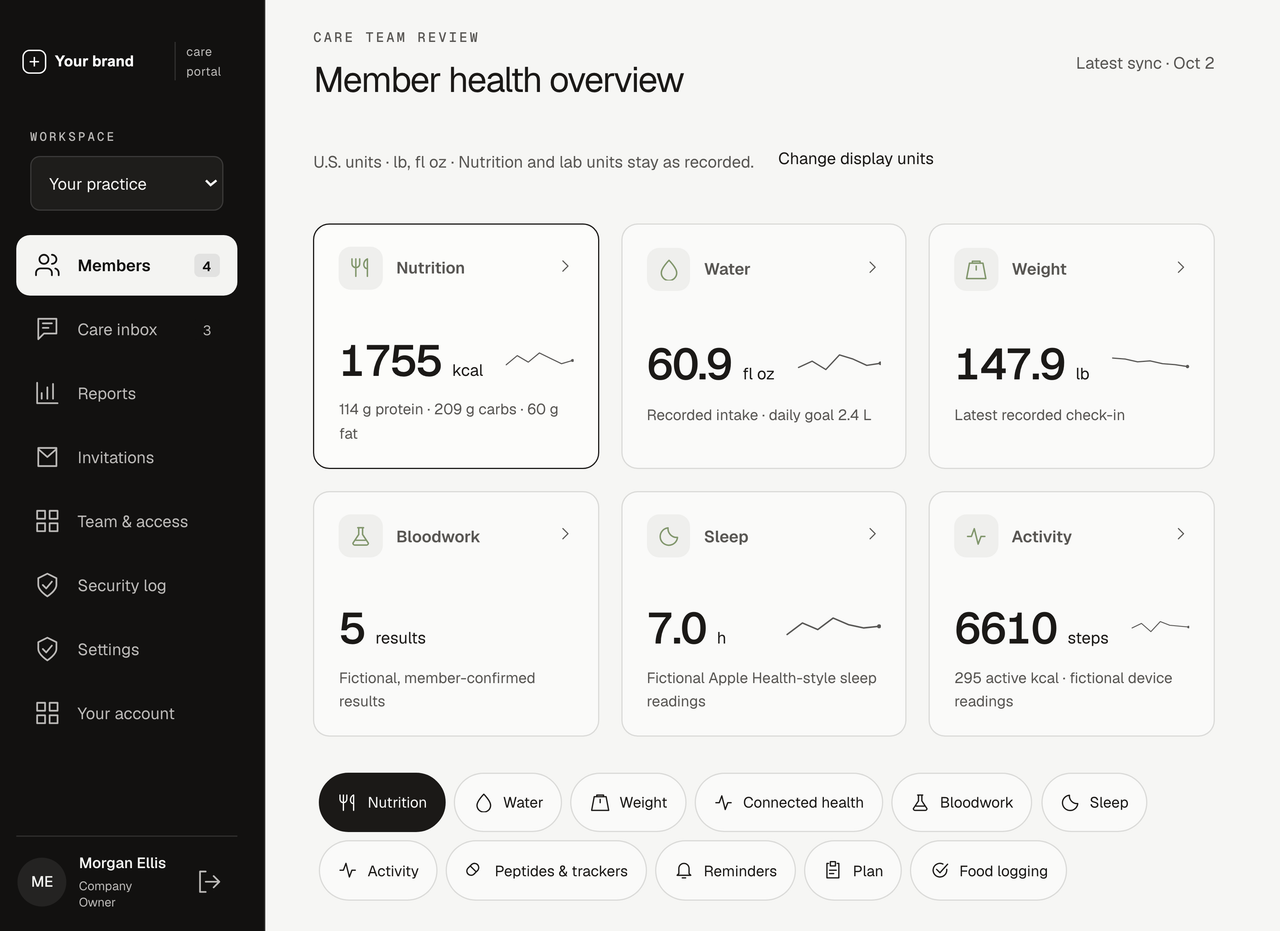
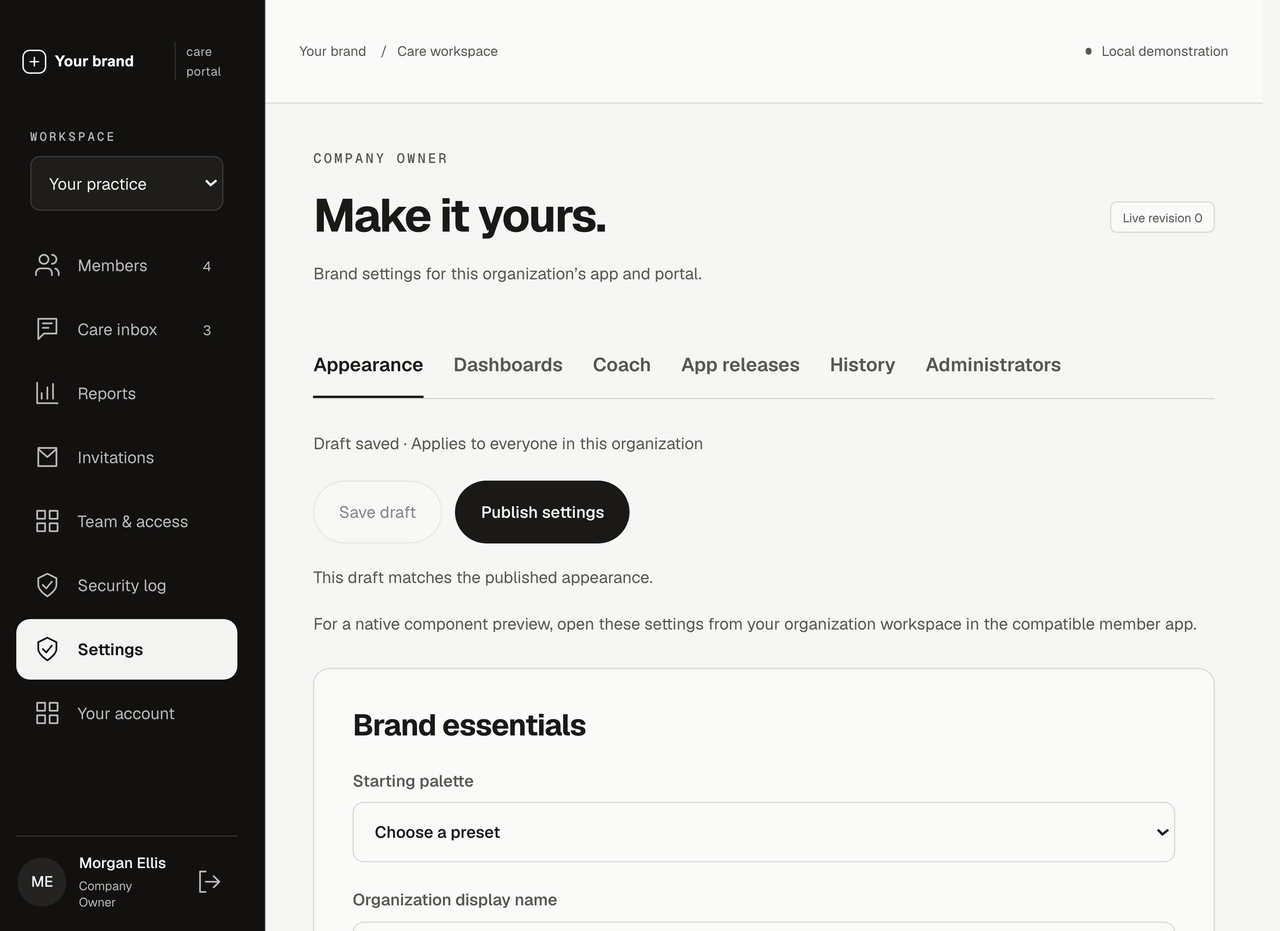
Example branded portal with fictional demonstration records
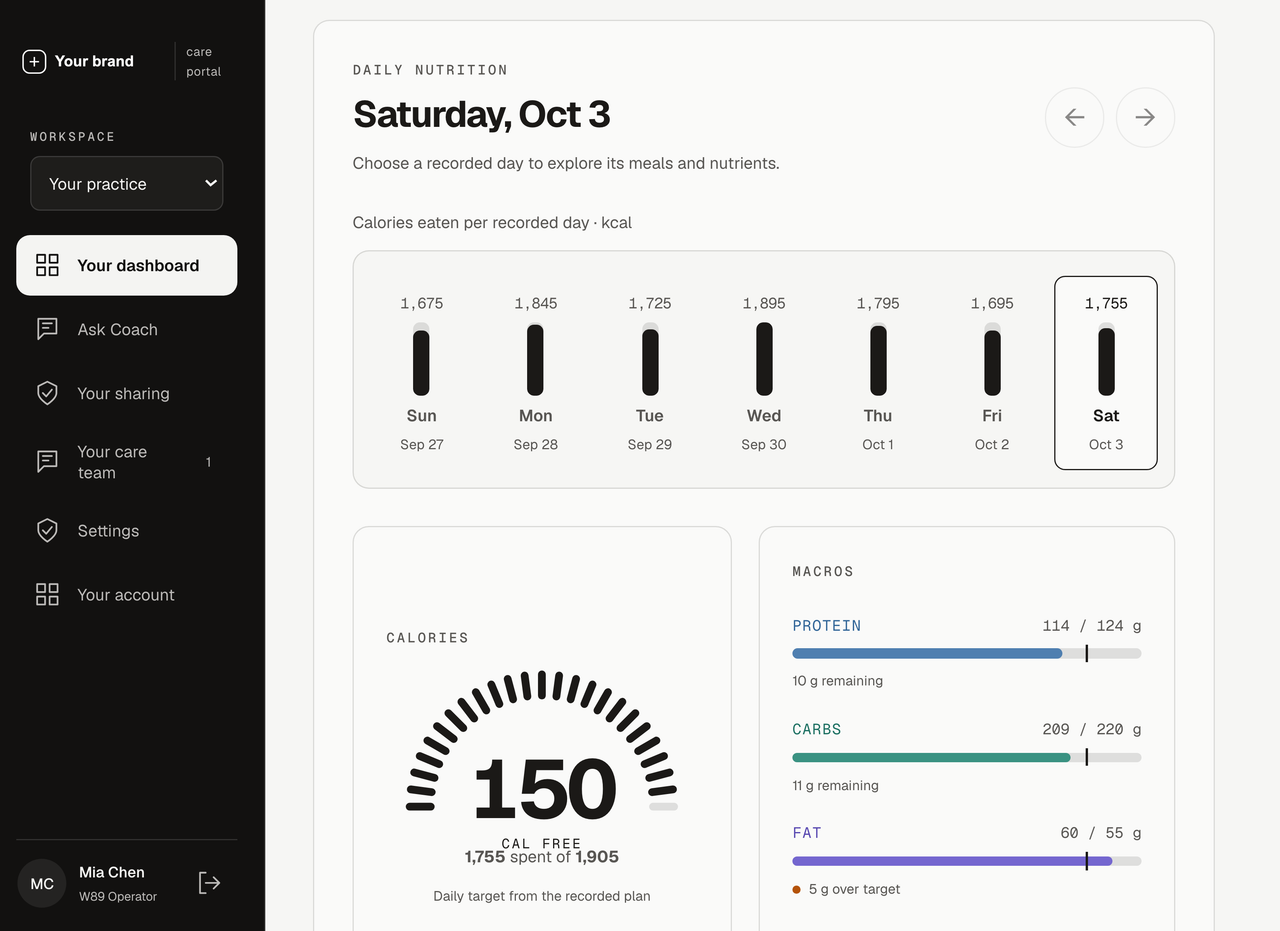
Member app showing fictional health records
Example branding · Fictional records

GOALS & ACCOUNTABILITY

Set measurable goals.
Track member progress.

Build an accountability workflow around the care your team provides. Staff set measurable goals, members see their progress, and conversations stay connected to the plan.

  1. 01

    Choose a metric and target

    Choose an area, a measurement and a target: above, below or within an agreed range.

  2. 02

    Track progress from synced records

    Use synced steps, nutrition, sleep or other supported records to follow progress. Keep missing data visible.

  3. 03

    Notify members and assigned staff

    Choose reminder timing and staff thresholds. Open the relevant goal and conversation from the notification.

Accountability workflows are being built and verified. Available measurements and notification delivery are agreed in your project scope.

Your practicePlan · Example workflow
AR
Alex RiveraAssigned to Jordan · Care team
Active plan
Daily walkingIn progress

At least 10,000 steps · Each day

8,400 / 10,000 steps
Connected healthUpdated 4 minutes ago
↳
Jordan · Your care team

How is the daily walk fitting into your routine?

Conversation attached to Daily walking
Staff follow-up alertNotify assigned staff after the agreed threshold.

THE PRODUCT

An app for your members.
A workspace for your staff.

Give members a place to build their daily routine. Give your team a shared view of the information members choose to share.

SEE THE PERSON BEHIND THE NUMBERS

Review member records,
goals and messages.

Nutrition, wellness records, check-ins and care goals in one workspace. Give your team the context to prepare for the next conversation.

  • Review shared recordsShared records and reports, in one view.
  • Manage messages and goalsMessages, check-ins and agreed goals.
  • Ask AI about the recordsAI questions grounded in visible records.
See it with your team
Example care-team portal showing six categories of shared fictional member records.
Care-team workspaceShared records. Clearer conversations.

Product views use example branding and fictional demonstration data. Your configuration and scope are agreed with your team.

THE DETAILS THAT MAKE CARE CONNECTED

Nutrition, health records
and care management.

Explore the tools behind the experience, shown here in the member app with fictional demonstration records.

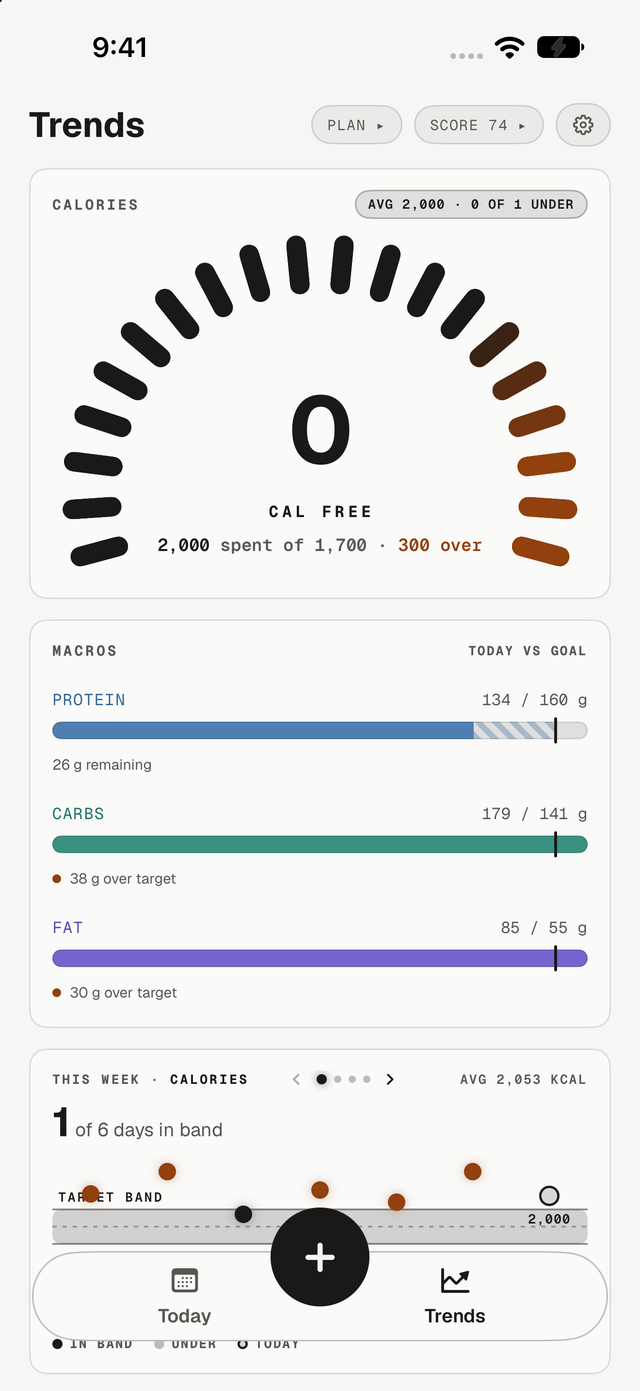
Example branded Trends screen showing a calorie budget, striped remaining protein goal and daily macro totals.
THE EVERYDAY,
IN CONTEXT.
Nutrition.
Progress.
Routine.
Example branded iPhone app.
Fictional records.
Nutrition & meal tracking

Track meals, calories
and nutrients.

Give members a practical way to record meals and follow their calorie budget, macros and nutrient intake. Photo, barcode and food-catalog logging fit different moments in their day.

Care teams can review shared food records alongside goals and wellness information, bringing more context to the next conversation.

  • Food journal and daily targets
  • Macro and nutrient detail
  • Progress views across recorded days
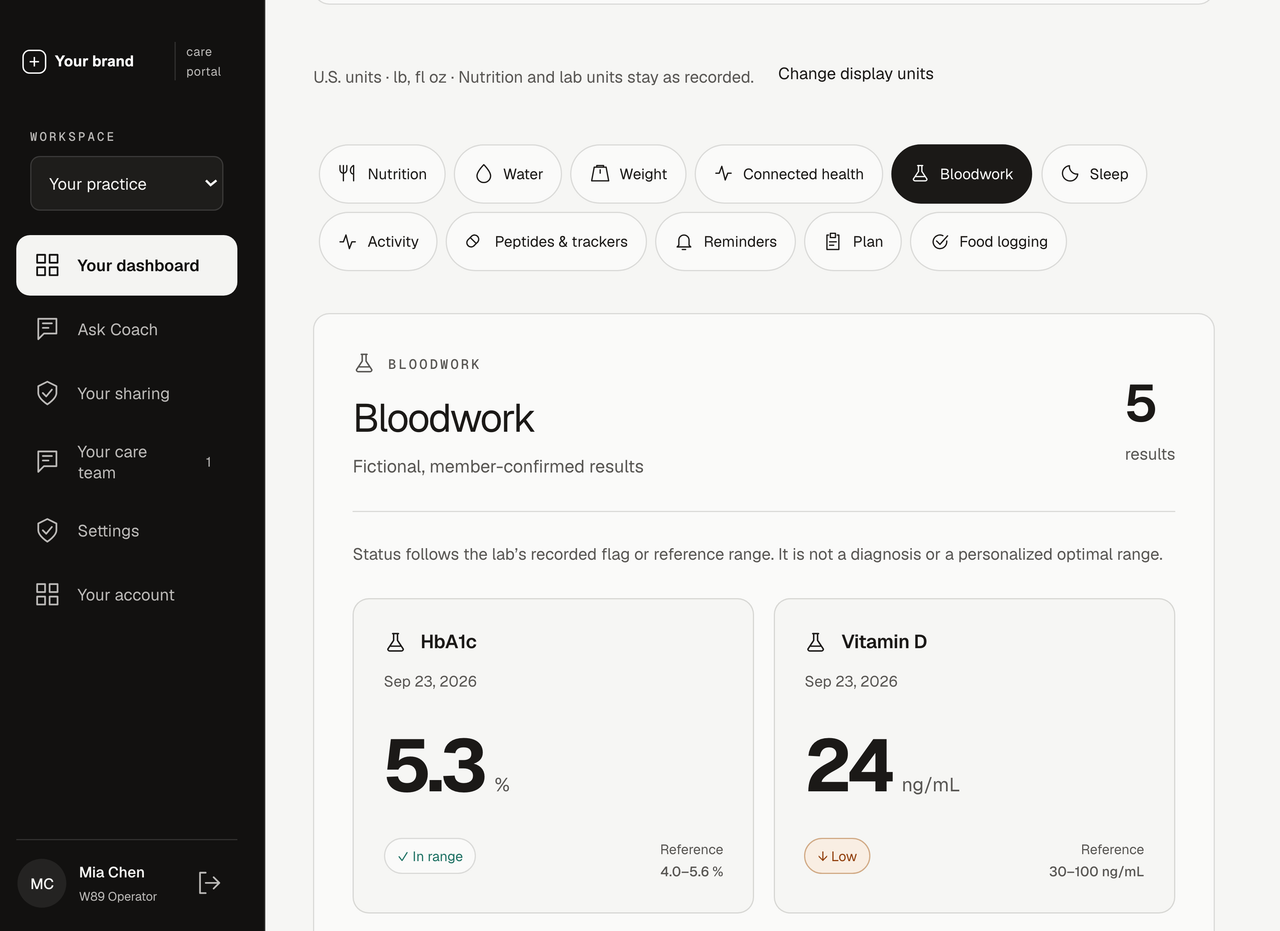
Example bloodwork screen with fictional results, collection dates and recorded reference ranges.
Labs & health records

Review bloodwork
and lab history.

Keep member-confirmed bloodwork accessible alongside nutrition and everyday wellness records. See recorded values, collection dates, units and the lab’s reference ranges together.

Members choose what to share. Authorized staff can use that shared context to prepare for more informed conversations.

  • Member uploads and confirmed results
  • Recorded ranges and high / low flags
  • Shared context for the care team
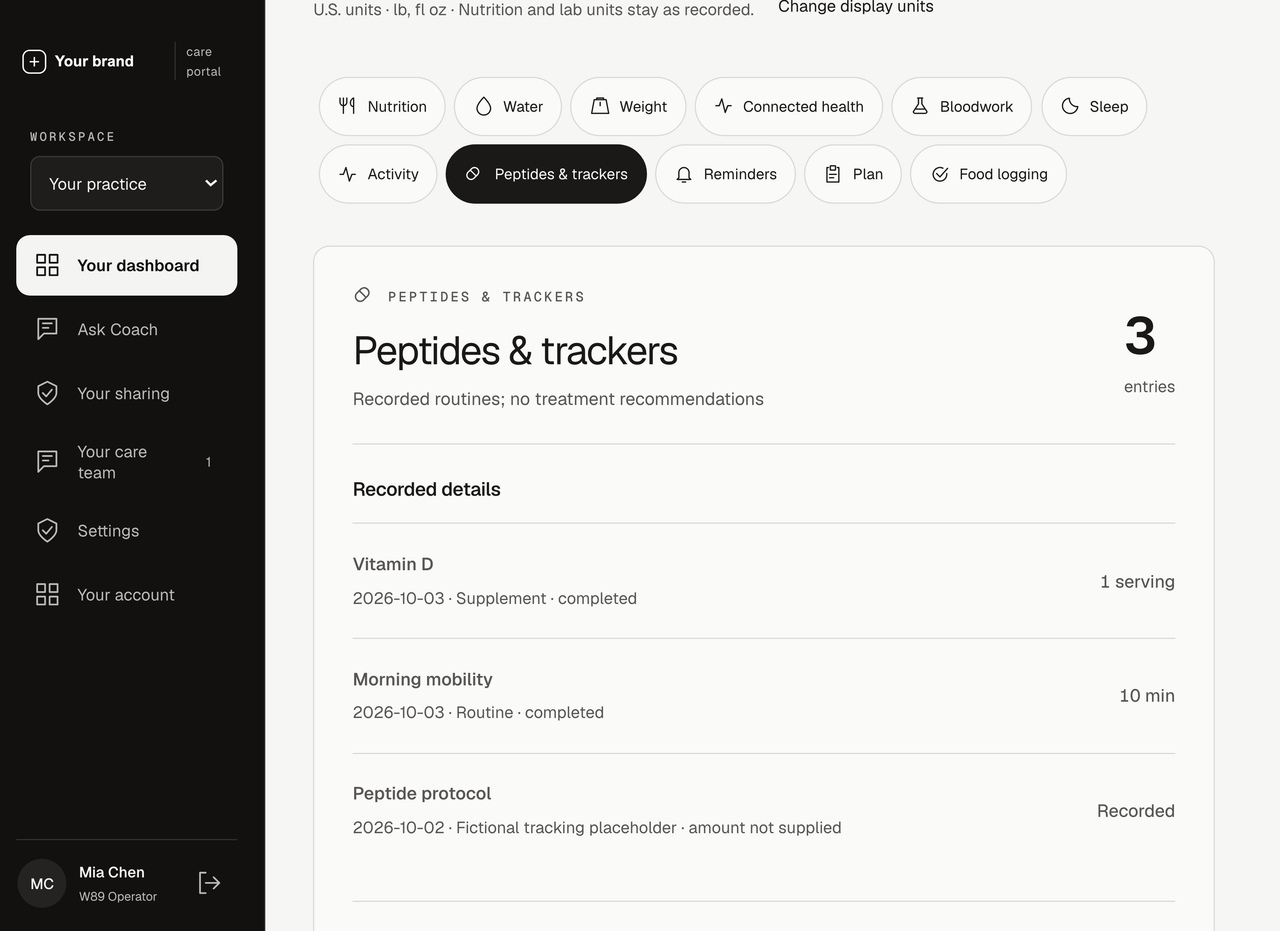
Example tracker screen with fictional supplement and daily routine records.
Medications, trackers & reminders

Track medications,
peptides and reminders.

Support the routines members are already following with medication and peptide tracking, recorded events and reminders. Bring the record of their day back into their personal dashboard.

It gives members a clearer history and care teams more context when that information is shared.

  • Schedules and recorded tracker events
  • Reminders and completion history
  • One place to review daily routines
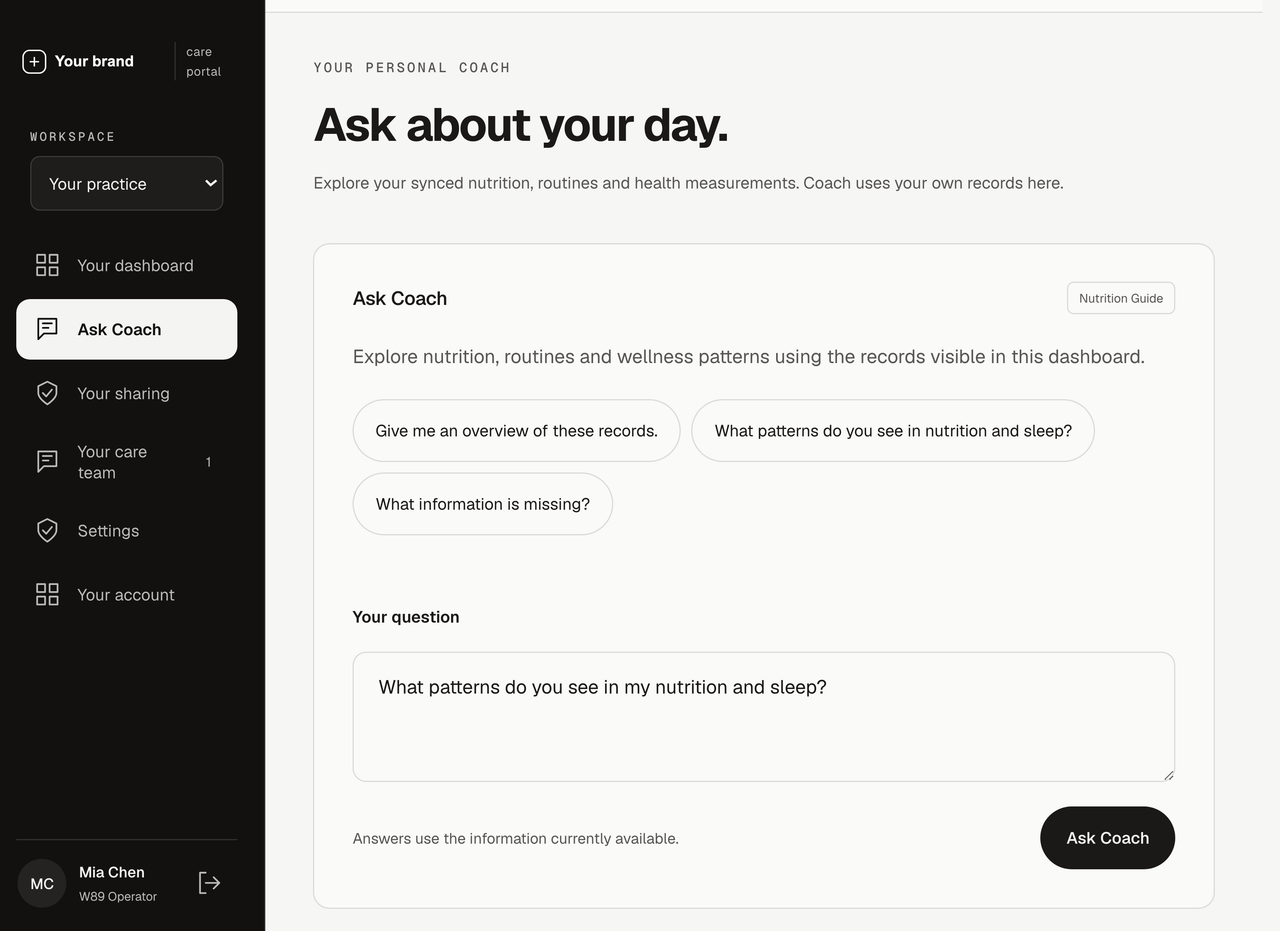
Example Ask Coach screen with an example question entered; no AI request or answer has been generated.
AI-supported record exploration

Ask AI about
shared health records.

Members and authorized staff can ask Coach to explore the information available in their workspace, summarize patterns and identify missing context.

Choose supported coaching preferences for your organization and submit additional written guidance for W89 review. Access and sharing rules still apply.

  • Questions grounded in visible records
  • Member and care-team experiences
  • Organization coaching preferences
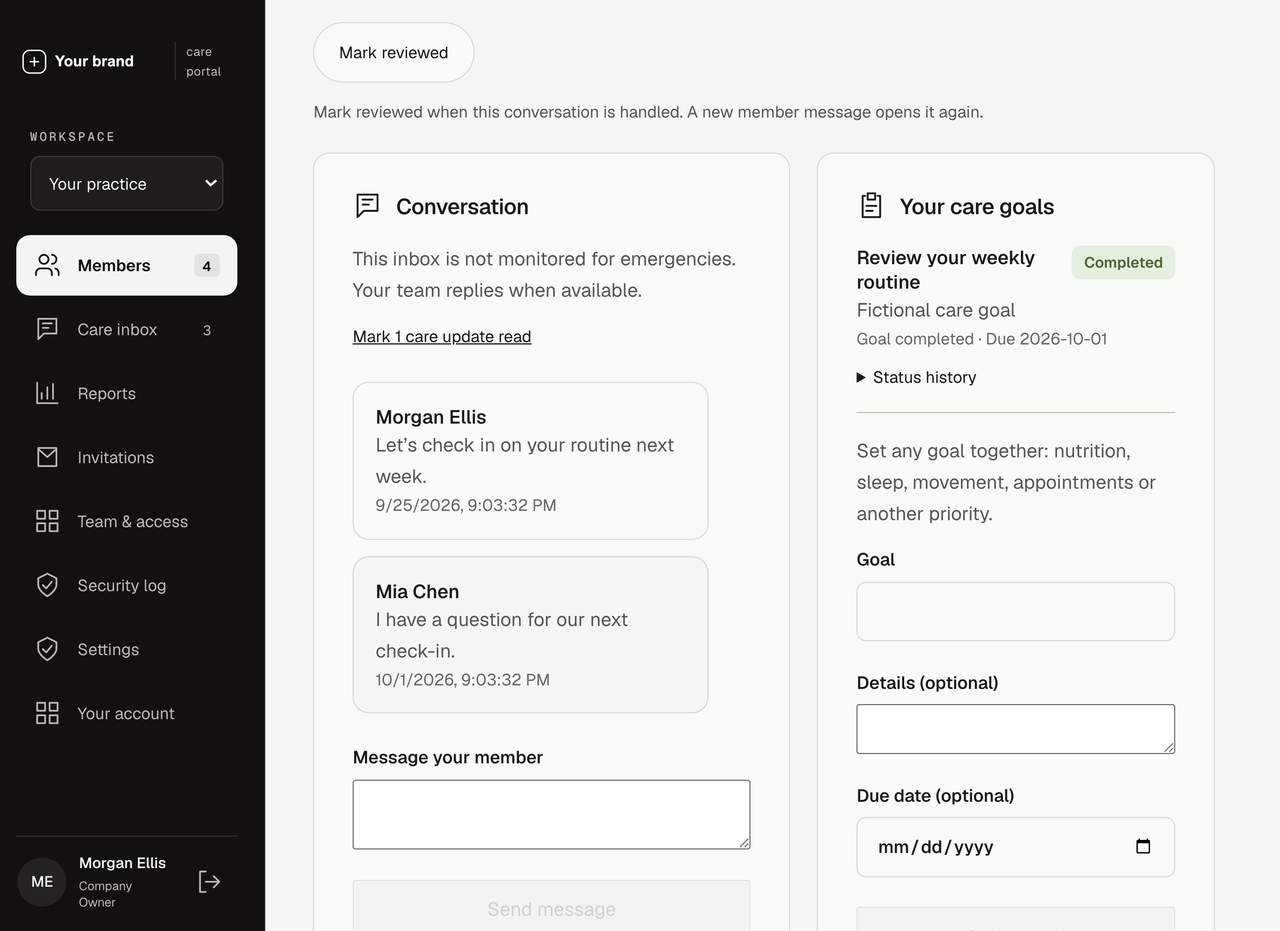
Example care conversation, goals and follow-up controls with fictional member and team messages.
Care-team connection

Message members
and review check-ins.

Bring member messages, check-ins and agreed goals into the same care workspace. See what needs a reply, assign follow-up and keep the team informed.

Members get a clear connection to their care team. Staff see the people assigned to them and the information those members choose to share.

  • Member and team messaging
  • Weekly check-ins and care goals
  • Assigned follow-up and review status
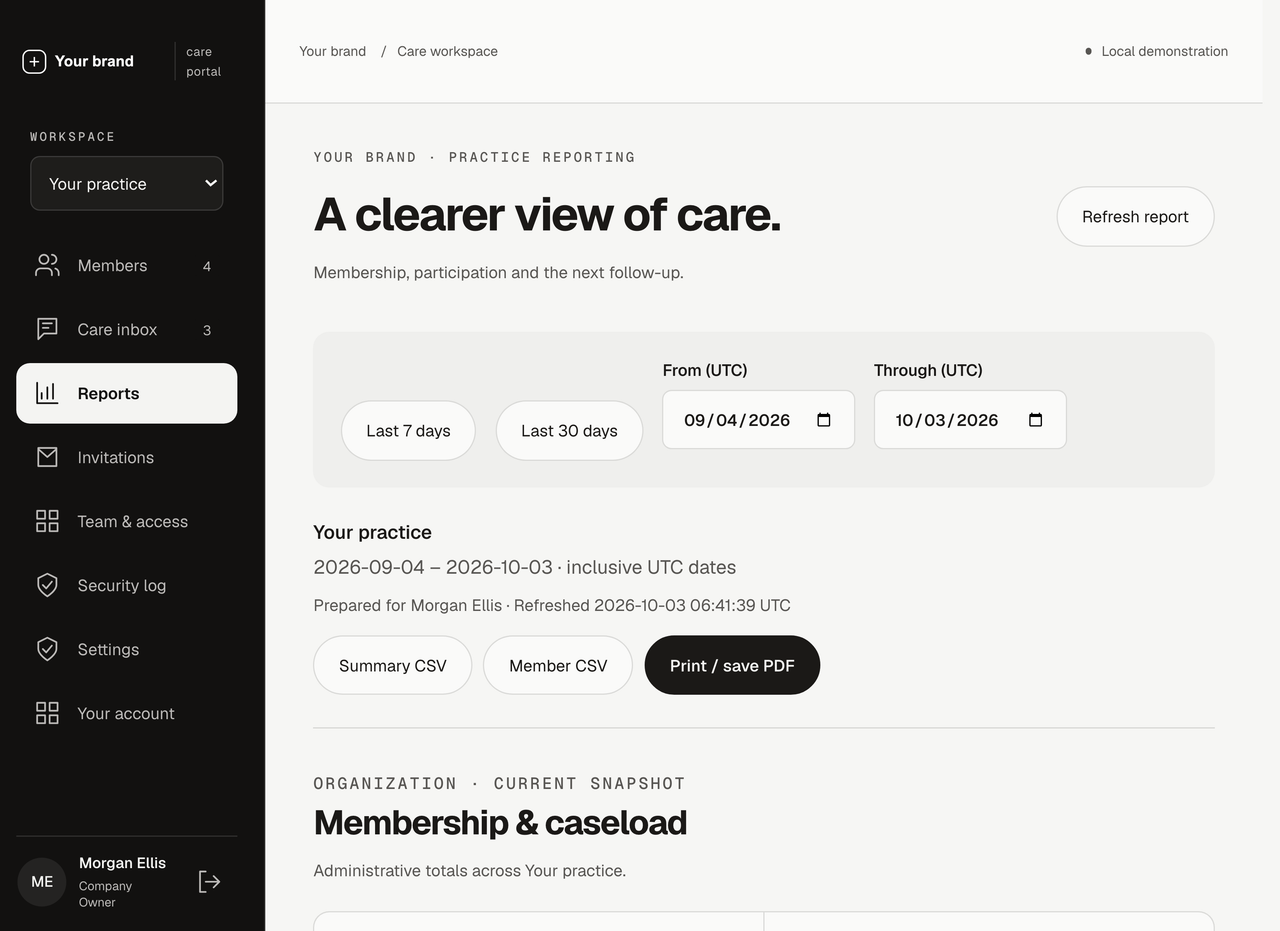
Example practice report showing fictional check-in participation, completed goals and check-ins over time.
Practice & progress reports

Review participation
and goal completion.

Review membership, care-team caseloads, check-ins and goal completion over a selected period. Bring the next follow-up into focus with a clear view of pending care items.

Export authorized reports to CSV or prepare a PDF for your workflow. Reporting follows each team member’s access and assignments.

  • Practice and member reports
  • Date ranges and follow-up filters
  • CSV and print-ready views

Product interfaces captured with example branding and fictional data. Available features and integrations are confirmed in your project scope.

A FEW THINGS TO KNOW

Frequently asked questions

Start here, then talk through the details with our team.

Which devices and platforms can you integrate?

We build connections for Apple Health, Apple Watch, Garmin Connect, Fitbit, Oura Ring, Withings and Strava, plus lab-report imports, practice systems and specialist health devices. The data, vendor access and rollout are agreed for your project.

Do members have to share everything with their care team?

No. Members control the categories of information they share. Staff access also depends on organization membership and care-team assignments. Brand administration does not automatically grant access to member health records.

Example branded portal with fictional demonstration records
Member app showing fictional health records

YOUR TEAM. YOUR MEMBERS. YOUR BRAND.

Build your branded
health app and portal.

A daily companion for members. A clearer view for staff. An experience that belongs to your practice.

Let’s talk about your platform

WELCOME BACK

Find your workspace.

Enter the organization code your team gave you. You’ll continue to your branded portal.

Your existing direct portal link still works.

A closer look

Example branding and fictional records.