Draft & preview
Explore your colors, curated typefaces, logos and supported layouts before your members see a change.
YOUR BRAND, THROUGHOUT
An app on their home screen. A portal your team makes its own. Shape the colors, content and care experience around your practice.
Explore brand controls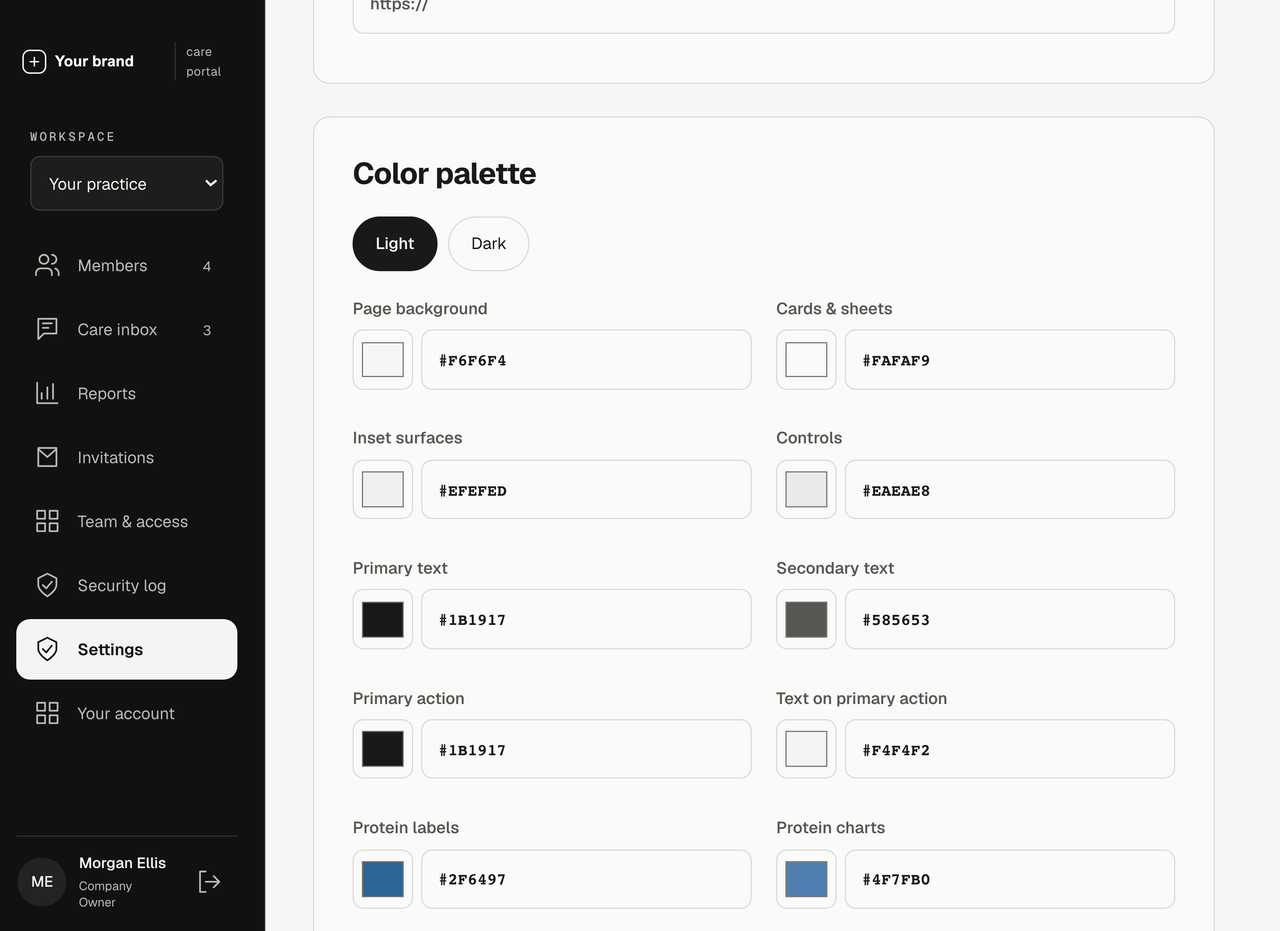

CUSTOMIZATION · YOUR EXPERIENCE, YOUR IDENTITY
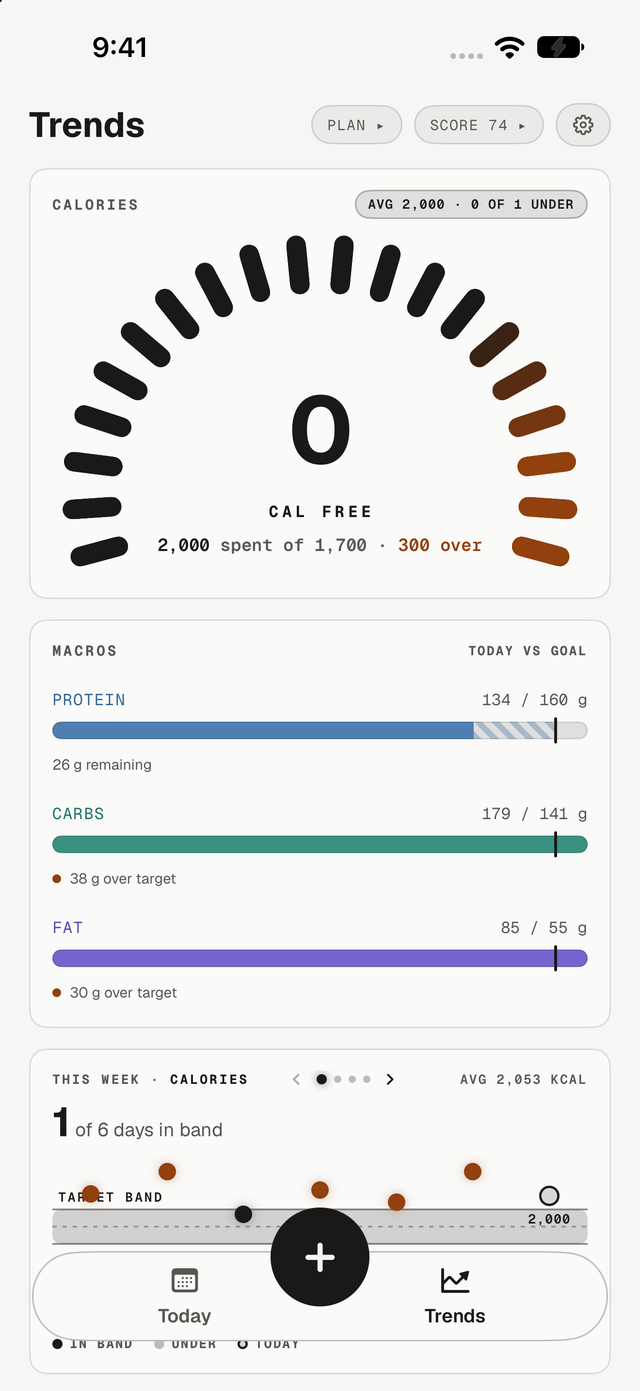
Your practice has its own identity, workflows and approach to care. Give your team and patients a digital experience that reflects them.
A cohesive lookColors, logos and a considered selection of typefaces, across app and portal.
The right information firstReorder supported dashboard sections for your organization.
A voice that fitsChoose coaching preferences and submit written guidance for W89 review.
Your controls. Your app. One connected identity.
FROM IDEA TO PUBLISHED EXPERIENCE
Explore your colors, curated typefaces, logos and supported layouts before your members see a change.
Publish supported settings for your organization immediately, or coordinate them with an app release.
Submit changes to the app identity or native experience. W89 prepares the candidate for your review and handles submission.
A FEW THINGS TO KNOW
Start here, then talk through the details with our team.
Company Owners can choose supported colors, curated fonts, logos and dashboard section order for their organization. Brand settings include draft previews and publication history. Additional workflows, features and integrations can be scoped with W89.
Supported presentation settings can be published through the portal for compatible installed apps and web dashboards. Changes to the app icon, app identity or native functionality require a release. Your team submits a request, reviews the candidate, and W89 manages the release process.
Your proposal defines the AI features, usage and costs included in your package. The portal supports structured coaching preferences and a review process for additional written guidance. W89 maintains the underlying access rules and core instructions.
YOUR TEAM. YOUR MEMBERS. YOUR BRAND.
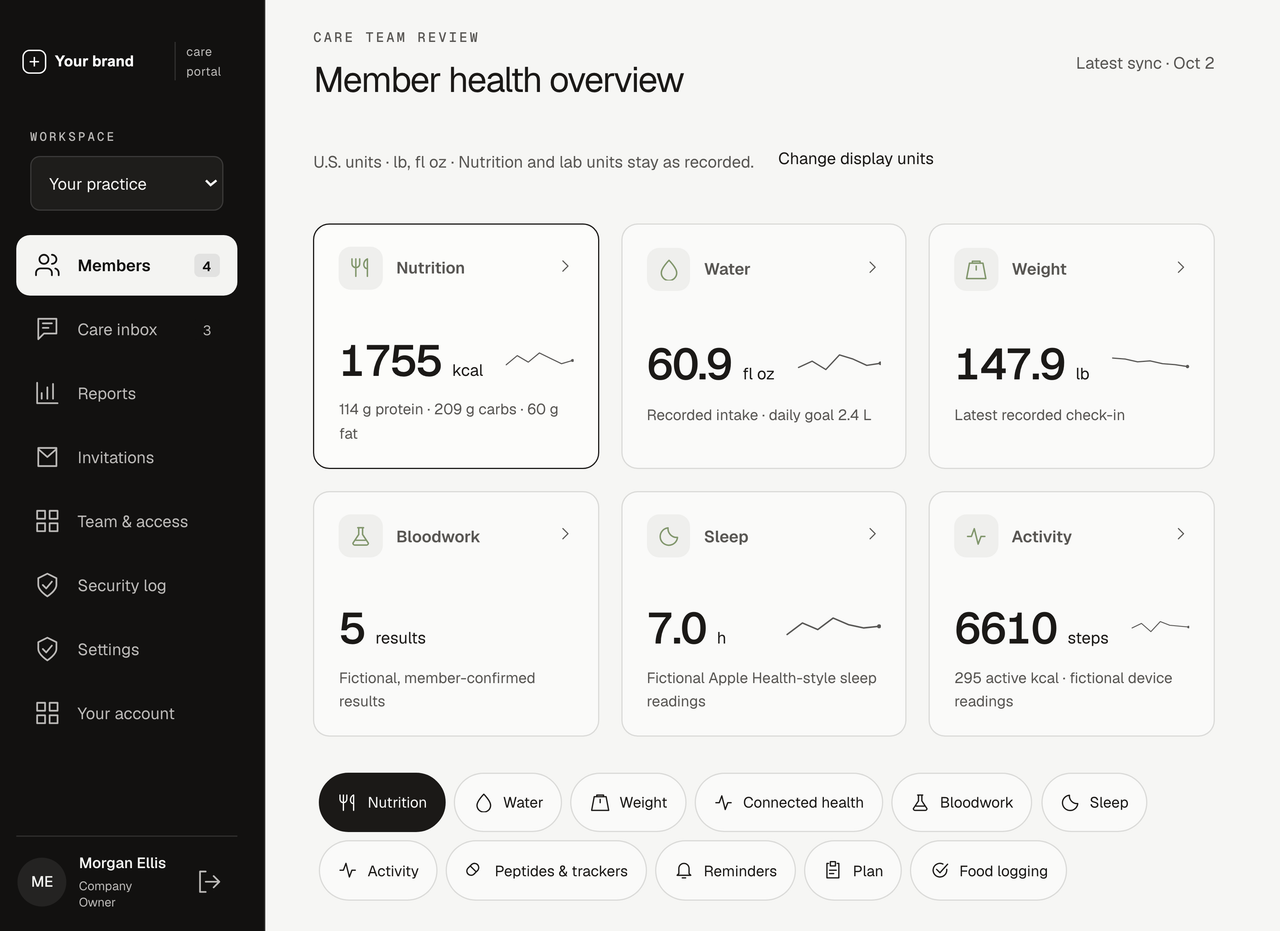
A daily companion for members. A clearer view for staff. An experience that belongs to your practice.
Let’s talk about your platform